
DNS failover & traffic cutover
Manual cutover
Make active on a standby member → ServerCTL sets it as primary and updates the managed A record to its public IPv4.
Cut DNS to standby on Overview → promotes next failover-ready standby (same DNS update, overview-oriented workflow).
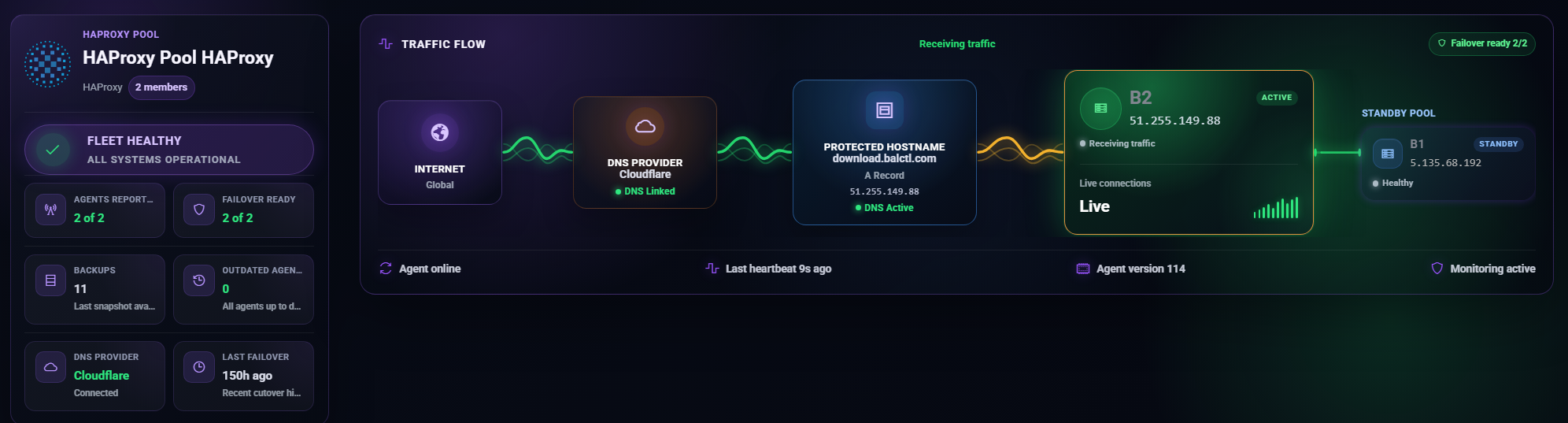
Automatic failover
Enable in Settings → Balancer failover.
When enabled, ServerCTL periodically evaluates the active member. Promotion triggers when:
- Heartbeat age exceeds failover delay, or
- HAProxy is monitored and inactive
A healthy standby is promoted; DNS is updated; optional email alert fires.
Failover delay
Agents' heartbeat independently (~1s); failover delay is not the heartbeat interval.
Failover-ready criteria
A standby is ready when:
- Recent heartbeat within the failover window, and
- HAProxy is not down (when monitored)
Dynamic DNS Sync
Optional for HAProxy pools when the active member’s WAN IPv4 changes (DHCP/ISP churn). Each heartbeat can push the new public IP to Cloudflare without manual DNS edits.
Proxied vs DNS-only
- Orange cloud (proxied): Traffic through Cloudflare; good for HTTP/S when origin IP hiding matters.
- DNS-only (grey cloud): Clients connect directly to member IPv4 — required for raw TCP services (e.g. non-HTTP on custom ports).